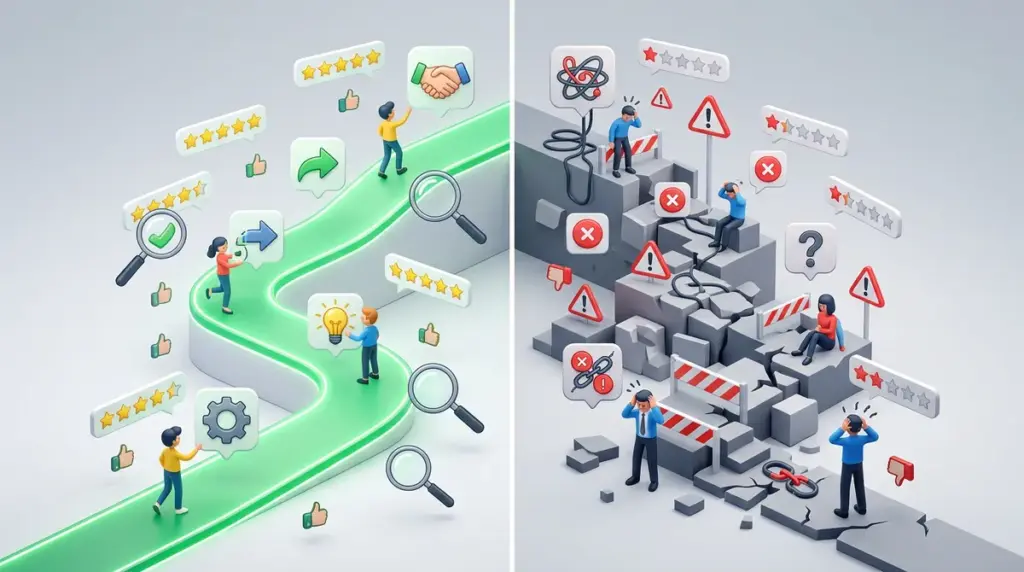
SaaS churn is rarely a result of missing features; it is almost always a failure of the first 48 hours. When a marketing team or agency invests in a new stack, the "Time to Value" (TTV) determines whether the subscription survives the first quarter. While sales demos highlight the polished end-state of a product, user reviews on platforms like G2, Capterra, and TrustRadius provide the only honest look at the friction required to get there. High-quality onboarding is the difference between a tool that solves problems and a tool that becomes a recurring line item on a graveyard invoice.
Decoding the "Steep Learning Curve" Euphemism
In the world of software reviews, "steep learning curve" is the most common euphemism for fragmented UX or non-existent documentation. When browsing reviews for SEO tools or CRM platforms, look for the frequency of this phrase. If it appears in more than 15% of 4-star and 5-star reviews, the product likely lacks a logical workflow. It suggests that users eventually find value, but only after significant manual effort or unbilled hours spent in help forums.
Best for identifying: Products that require a dedicated internal "champion" to manage the tool, rather than a platform that can be democratized across a junior team.
The Documentation Trap
Reviewers often praise "responsive support teams," but in a high-velocity SaaS environment, needing to contact support during setup is a failure of the onboarding design. If reviews consistently mention that "support helped me get my data imported," it indicates that the self-service import tools are likely broken or unintuitive. You want to see reviews that highlight the clarity of the knowledge base and the effectiveness of in-app walkthroughs, not the friendliness of the help desk.
Quantifying Time-to-Value via User Sentiment
The most useful reviews for a prospective buyer are those that specify exactly how long it took to reach a "win." For an SEO professional, a win might be the first automated technical audit report. For a publisher, it might be the first synchronized ad-revenue dashboard. When vetting software, look for specific time markers in reviews:
- "Up and running in 20 minutes": Indicates a product-led growth (PLG) model with strong API integrations and automated data mapping.
- "Two weeks of back-and-forth": Suggests a heavy enterprise setup that likely requires a professional services fee or a dedicated account manager.
- "Immediate ROI": Usually refers to tools that offer "read-only" value quickly, such as analytics overlays that don't require complex write-permissions.
Identifying "White-Glove" vs. Self-Serve Friction
There is a distinct divide in onboarding quality between enterprise-grade software and mid-market tools. Reviews for enterprise software often focus on the quality of the implementation consultant. If reviews mention that the "onboarding specialist was knowledgeable," you are looking at a tool that cannot be configured by your team alone. This is a hidden cost. Conversely, mid-market tools are judged by their "empty state" experience—what the dashboard looks like before you’ve uploaded a single CSV.
Warning: Beware of software that mandates a "Discovery Call" before allowing you to see the onboarding flow. Reviews that mention "forced demos" often correlate with products that have high configuration complexity and low intuitive design.
The Role of In-App Education in Long-Term Retention
Onboarding doesn't end after the first login. The highest-rated SaaS products in terms of onboarding quality are those that use progressive disclosure. Reviewers often highlight this by saying the tool "grows with you" or "wasn't overwhelming at first." This means the software hides advanced features until the user has mastered the basics. When reading reviews, look for mentions of "tooltips," "checklists," or "onboarding bars." These UI elements prevent the "feature fatigue" that leads to early cancellations.
Red Flags in Onboarding Feedback
Not all negative reviews are equal. To assess onboarding quality accurately, ignore the "it's too expensive" complaints and focus on these specific technical red flags found in lower-rated reviews:
- Broken Integrations: If multiple reviews mention that the Google Search Console or Slack integration "took days to authorize," the backend architecture is likely brittle.
- Data Mapping Errors: Reviews complaining about "messy data imports" suggest the tool lacks a robust validation layer during the onboarding wizard.
- Lack of Templates: If users complain they "didn't know where to start," the tool lacks the pre-configured templates necessary for immediate utility.
Vetting Your Next Subscription
Before committing to a new seat or a yearly contract, perform a targeted search within review aggregators. Use keywords like "setup," "import," "documentation," and "onboarding" to filter the noise. If the consensus suggests that the first week is a struggle, ensure you have the internal bandwidth to compensate for the software’s UX deficiencies. The goal is to find a tool where the onboarding is a bridge to productivity, not a barrier to it.
Compare the "Most Recent" reviews against the "Most Helpful." Software companies frequently update their onboarding flows; a review from 2022 complaining about setup may no longer be relevant if the company shifted to a self-service model in 2024. However, if the same complaints about "clunky data migration" persist across three years, it is a structural issue that the dev team has deprioritized.
Frequently Asked Questions
How can I tell if a SaaS tool has a "hidden" onboarding fee?
Check the "Pricing" or "Value" sections of reviews. Users will often complain about "mandatory implementation fees" or "professional service packages" that weren't clearly advertised on the pricing page. If reviews mention a "dedicated implementation manager," expect an additional cost.
What does "intuitive" actually mean in a review?
In a commercial context, "intuitive" means the user was able to complete a core task (like generating a report or setting up a tracking pixel) without opening the help documentation. It is a sign of high-quality UX design that mirrors standard industry workflows.
Are "onboarding webinars" a sign of a good or bad product?
Usually, it's a sign of a product with high complexity. If a tool requires a live webinar to explain the basics, the UI is likely failing to communicate the product's value. Reviews that praise webinars often come from less technical users; for agencies and SEO pros, this is often a sign of a slow TTV.
Why do some reviews complain about onboarding even for simple tools?
This often happens when a tool lacks "bulk" actions. A tool might be easy to use for one project, but if a reviewer says it was "tedious to set up," it usually means they had to manually input data for 50 clients because the onboarding flow lacked a bulk upload feature.