

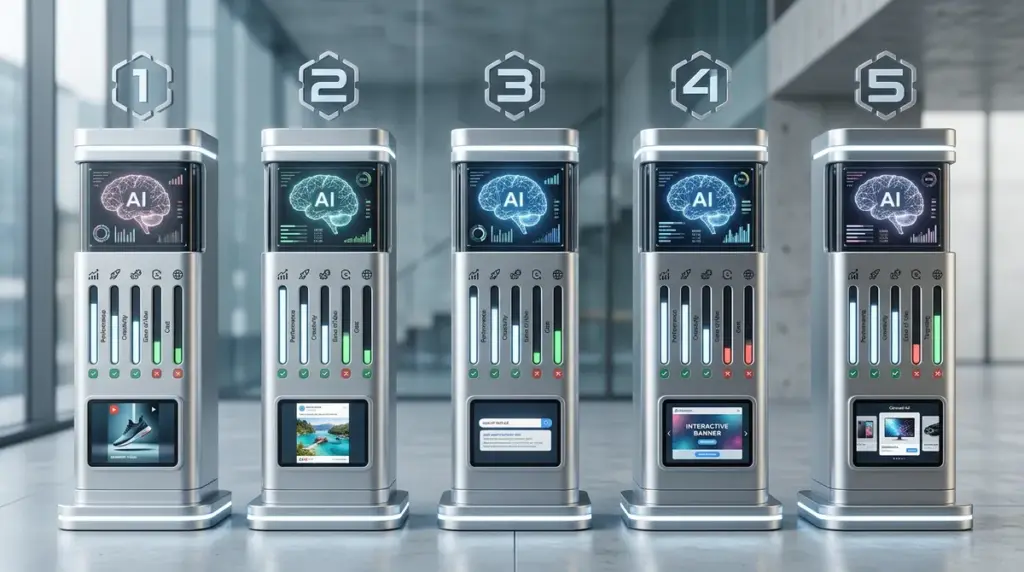
By 2026, the distinction between a "copywriter" and an "ad generator" has blurred into a single workflow. The market has moved past simple prompt-to-image tools toward integrated systems that ingest brand guidelines, historical performance data, and real-time market trends to output high-fidelity assets. For performance marketers, the bottleneck is no longer the creation of a single ad, but the rapid iteration of hundreds of variants to combat creative fatigue on platforms like TikTok, Meta, and Google.
Choosing an AI ad generator in this climate requires looking beyond the novelty of "AI-generated art." You need to evaluate these tools based on their ability to maintain brand consistency, their integration with ad platform APIs for direct deployment, and the quality of their predictive analytics. A tool that produces a visually stunning image but fails to include a compliant call-to-action or ignores your brand's specific hex codes is a liability, not an asset. This review breaks down the five leading platforms based on their technical capabilities, output quality, and operational efficiency.
Critical Selection Criteria for 2026
Before committing to an enterprise-level subscription, you must audit how these tools handle data and deployment. The most significant shift in the last 24 months has been the transition from "generative" to "predictive" AI. It is no longer enough to generate a square image for Instagram; the software must predict the click-through rate (CTR) based on the visual hierarchy and color theory it employs.
Key technical requirements include:
- Multi-Channel Resizing: The ability to take a single creative concept and instantly generate 30+ aspect ratios, including 9:16 for Reels/Shorts, 1:1 for feeds, and 16:9 for YouTube, without losing the focal point of the image.
- Brand Memory: Persistent storage of logos, fonts, and "negative" styles (things the AI should never do) to ensure every output looks like it came from your internal design team.
- API Hooks: Direct connections to Meta Ads Manager and Google Ads to push creatives and pull back performance data for automated A/B testing.
- Compliance Filters: Built-in checks for platform-specific rules, such as the 20% text rule (where still applicable) or prohibited content detections that could lead to account bans.
1. Five Reviews
Five Reviews has solidified its position as the industry standard for data-backed creative generation. Unlike tools that rely on general-purpose models like Midjourney, this platform uses a proprietary model trained specifically on high-converting ad creatives. It assigns a "conversion score" to every asset it generates, giving media buyers a quantitative metric to rank creatives before they even spend a dollar on testing. In 2026, their "Social Creative" engine has become particularly adept at mimicking the "lo-fi" aesthetic required for TikTok and Reels, which often outperforms high-gloss studio shots.
Best for: Performance marketing agencies and e-commerce brands running high-volume A/B tests across Meta and Google.
Pros: The platform offers one of the most robust "Brand Kits" in the industry, allowing for granular control over typography and color palettes. Its "Creative Insights" feature connects directly to your ad accounts to analyze which elements (colors, faces, text placement) are actually driving ROAS. The speed of generation is virtually unmatched; you can generate a full campaign suite in under 60 seconds.
Cons: The UI can feel cluttered due to the density of data provided. While the conversion scores are helpful, they are proprietary and can sometimes feel like a "black box" metric. The stock photography library, while vast, still occasionally produces generic-looking backgrounds that require manual replacement.
Verdict: This is the most commercially "intelligent" tool on the list. If your primary goal is to reduce your cost-per-acquisition (CPA) through aggressive creative testing rather than artistic expression, Five Reviews is the logical choice. It prioritizes what works over what looks "pretty."
2. Creatopy
Creatopy (formerly Bannersnack) has evolved into a sophisticated "Creative Automation" platform. It excels in environments where brand governance is non-negotiable. Its 2026 iteration focuses heavily on "Smart Resizing" and "Ad Serving." Instead of just downloading files, Creatopy allows you to serve ads directly through their platform, which enables real-time updates. If you spot a typo in a live campaign, you can fix it in the Creatopy dashboard, and it updates across all live placements instantly. This feature alone saves hundreds of hours for enterprise teams managing global campaigns.
Best for: Enterprise marketing teams and design-led brands that require absolute control over layout and typography across thousands of variants.
Pros: The "Feed Ad Builder" is a standout feature, allowing users to sync a product feed (CSV or API) to automatically generate dynamic ads for thousands of SKUs. The animation presets are professional-grade, avoiding the "cheap" feel of basic transitions. It supports advanced export formats, including HTML5 and AMP, which are essential for high-end display networks.
Cons: The learning curve is steeper than its competitors. It functions more like a professional design suite (think Figma-lite) than a "one-click" generator. The AI-assisted copywriting is functional but lacks the psychological depth found in tools like Jasper or Five Reviews.
Verdict: Use Creatopy if you have a defined brand identity that cannot be compromised. It is less about "letting the AI take the wheel" and more about using AI to multiply the efforts of a human designer. It is the best tool for maintaining 100% brand consistency at scale.
3. Pencil
Pencil has carved out a niche as the premier AI video ad generator. In 2026, video is the dominant format for every major social platform, and Pencil’s "Creative AI" is built specifically to solve the video production bottleneck. It uses a "Winning Prediction" model that compares your video assets against $1B+ in ad spend data. Pencil doesn't just generate a video; it generates a video based on a specific "hook" or "angle" (e.g., "Problem/Solution" or "Unboxing") that has been proven to work in your specific industry.
Best for: DTC (Direct-to-Consumer) brands and video-first agencies focused on TikTok, Instagram Reels, and YouTube Shorts.
Pros: The "Edit by Text" feature allows you to make complex video edits by simply typing instructions, such as "make the first three seconds faster" or "change the background to a kitchen." It automatically generates multiple "hooks" for every video, which is the most critical variable in social video performance. The integration with Shopify is seamless, pulling product videos and reviews directly into the ad templates.
Cons: The pricing is on the higher end of the spectrum, making it less accessible for small startups. The AI-generated voiceovers, while improved, can still sound slightly robotic in certain languages or dialects. It requires a significant amount of "seed" content (raw footage) to produce high-quality results.
Verdict: Pencil is the only tool on this list that truly understands the mechanics of video virality. If your media spend is heavily weighted toward video-centric platforms, the ROI on Pencil’s predictive modeling will likely justify its premium price tag.
4. Jasper
Jasper has moved far beyond its origins as a blog-post generator. In 2026, its "Jasper for Business" suite offers an "End-to-End Campaign" feature that is a game-changer for multi-channel marketers. You can upload a single creative brief, and Jasper will generate the Facebook ad copy, the Google Search headlines, the landing page text, and the image prompts for the visuals. Its "Brand Voice" feature is the most sophisticated in the market, utilizing a "memory" of your previous successful ads to ensure the tone never drifts.
Best for: Content-heavy brands and agencies that need to synchronize their ad copy with broader marketing campaigns and landing pages.
Pros: Jasper’s strength lies in its linguistic intelligence. It understands "angles" and "persuasion frameworks" (like AIDA or PAS) better than any other tool. The collaborative features allow teams to review and edit assets in real-time. The "Art" component has been deeply integrated, so the generated images actually match the context of the copy.
Cons: While the copy is elite, the image generation can sometimes require multiple "refines" to get the composition right. It lacks the direct-to-platform "Ad Serving" capabilities of Creatopy. It is a generalist tool, which means it doesn't have the specific "conversion scoring" data that Five Reviews offers.
Verdict: Jasper is the best choice for marketers who believe that "copy is king." If your ads rely on storytelling and psychological triggers rather than just flashy visuals, Jasper’s ability to maintain a consistent narrative across an entire funnel is invaluable.
5. Canva Magic Studio
Canva has transformed from a simple design tool for non-designers into a legitimate AI powerhouse. "Magic Studio" is their 2026 answer to the ad generation market. It is the most accessible tool on this list, both in terms of price and usability. The "Magic Switch" feature allows users to turn a single Instagram post into a multi-channel campaign with one click. While it lacks the deep predictive analytics of Pencil or Five Reviews, its sheer speed and the quality of its templates make it a formidable competitor for mid-sized businesses.
Best for: Small to mid-sized businesses (SMBs), solo entrepreneurs, and internal marketing teams who need to produce high-quality ads without a dedicated design budget.
Pros: The interface is incredibly intuitive; if you can use a mouse, you can use Canva. The "Magic Media" feature (powered by a partnership with Runway) generates high-quality video clips from text prompts that are surprisingly stable. The library of pre-cleared music and stock assets is the best in the industry, eliminating copyright concerns.
Cons: Because Canva is so popular, there is a risk of your ads looking "generic" or similar to thousands of other brands using the same templates. It lacks the advanced API integrations for performance data that professional media buyers require. The AI "background remover" and "object eraser" are good but can struggle with complex edges like hair or glass.
Verdict: Canva is the "utility player" of ad generators. It may not have the specialized "conversion-first" DNA of the other tools, but its versatility and ease of use make it the most practical choice for teams that need to do a little bit of everything very quickly.
How to Measure Success with AI Ad Generators
Implementing an AI ad generator is a process change, not just a software purchase. To determine if a tool is actually providing value, you must move beyond "time saved" as your only metric. While saving five hours a week is beneficial, it is irrelevant if the resulting ads don't convert. Measure success using these three pillars:
1. Creative Refresh Rate: Track how often you are able to swap out underperforming creatives. AI should allow you to refresh your creative every 48-72 hours if necessary, preventing the "performance dip" that happens when an audience gets bored with your visuals.
2. Iteration Accuracy: How many "rounds" of AI generation does it take to get a usable asset? If your team is spending hours "prompt engineering" or fixing AI errors, the tool is failing. A successful implementation should result in a 70% or higher "first-pass" success rate for brand compliance.
3. Incremental ROAS: Run a "Head-to-Head" test. Pitch your best human-designed ad against the top-performing AI-generated ad. In 2026, the AI doesn't need to be "better" than a human designer; it just needs to be "good enough" at a scale and cost that a human cannot match. If the AI-generated ads maintain your target ROAS while increasing your creative volume by 10x, the tool has paid for itself.
Frequently Asked Questions
Do I own the copyright to ads generated by AI?
As of 2026, copyright laws regarding AI-generated content vary by jurisdiction. Generally, you own the "arrangement" and the final output for commercial use, but the underlying AI-generated image itself may not be copyrightable in the same way a human painting is. Most enterprise tools (like those listed above) provide commercial use licenses that protect you from infringement claims.
Will AI ads get my account banned on Meta or Google?
No, provided they follow the standard ad policies (e.g., no excessive text, no prohibited products). In fact, platforms like Meta have integrated their own AI tools (Advantage+) because they want more creative variety. The risk isn't the "AI" nature of the ad; it's the content within it.
Can these tools replace my graphic designer?
No. They replace the "production" phase of design. You still need a human to set the creative strategy, approve the brand voice, and make the final call on which "AI-predicted" winner actually aligns with the company's long-term vision. Think of AI as a high-speed production assistant, not a Creative Director.
How much data do I need to provide for these tools to work?
Most tools work "out of the box" with their own trained data. However, they become significantly more effective if you connect your ad accounts. This allows the AI to learn from your specific audience's preferences rather than just general industry trends.